Page: System Information
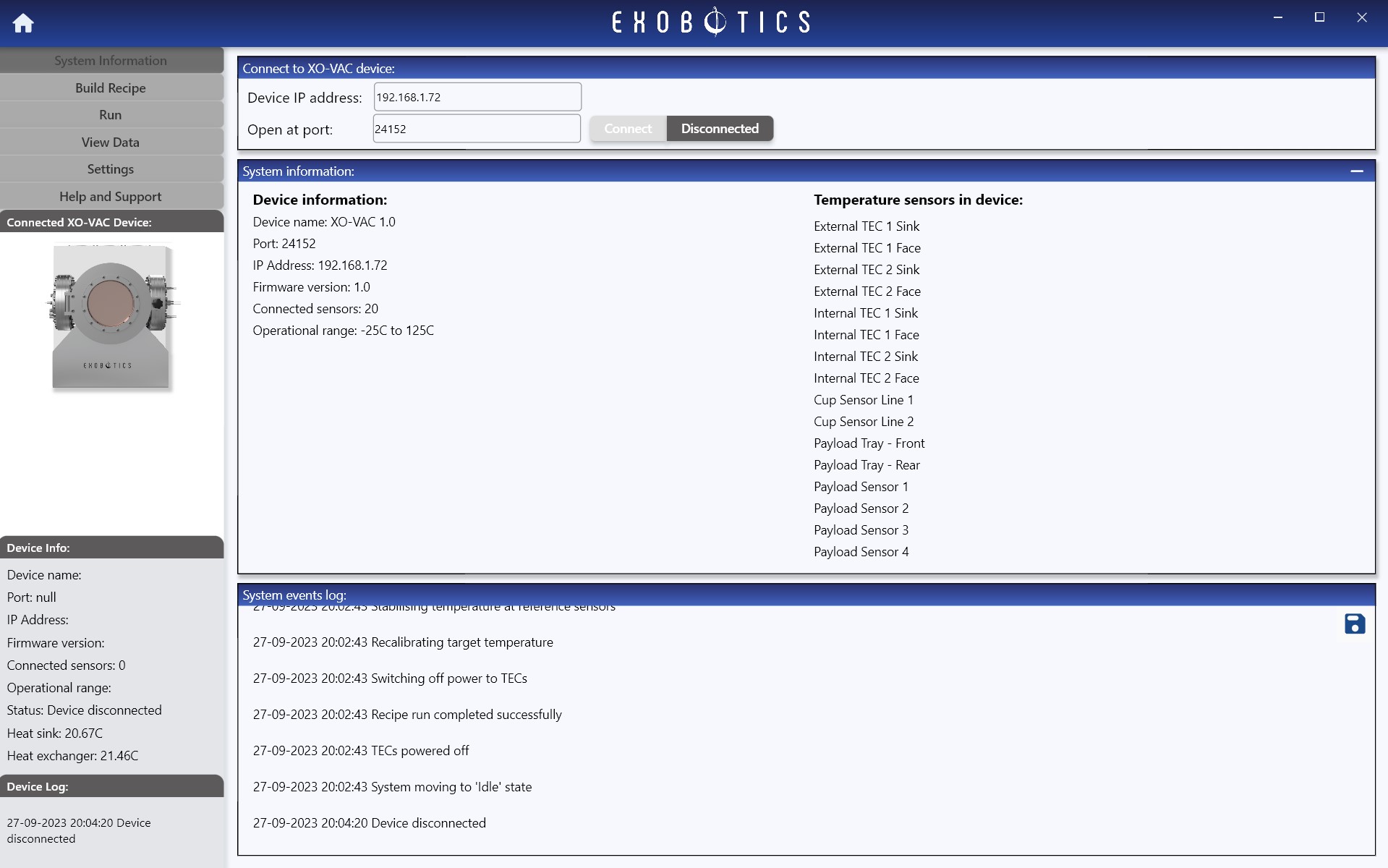
The System Information page in the XO-VAC+ User Interface software you can set up a connection with an XO-VAC+ device, view details of the connected device, and view the system events log.
Connect to a device
XO-VAC+ units support communication with external devices via ethernet. Prior to using the software please ensure the device is connected to your PC or LAN using an ethernet cable or wireless equivalent.
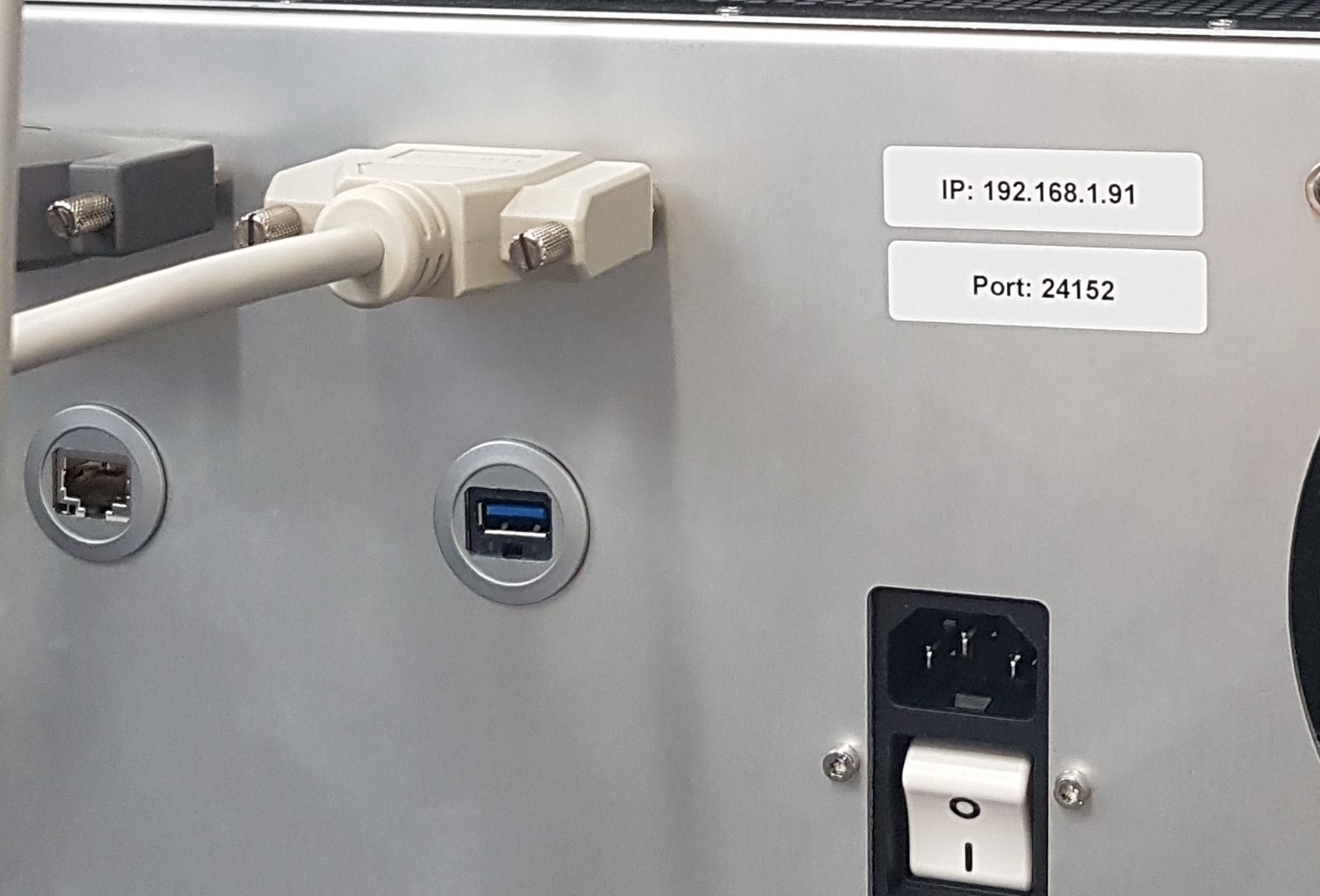
To connect to a specific XO-VAC+ device from the software, please enter the device-specific IP address and port number. The original device IP address and port should be labelled on the rear of the device, similar to the below:
Warning
The IP and Port may be changed by the user, in which case it is the user's responsibility to take a careful note of the new IP and Port for future reference to avoid losing access to the XO-VAC+ device. The new IP/Port can be retrieved by Exobotics personnel if required.
System information
This section will be populated when a device is successfully connected. This section shows currently connected sensors as well as key device information.
System events log
The system events log records events that occur both in the user software and on the XO-VAC+ device. To save the log click the icon at the top right of the panel.