How do I: Load a recipe to XO-VAC+?
In order to use a thermal cycling recipe, it must be loaded to the XO-VAC+ device. To do this we recommend using the Build Recipe page in the XO-VAC+ User Interface software.
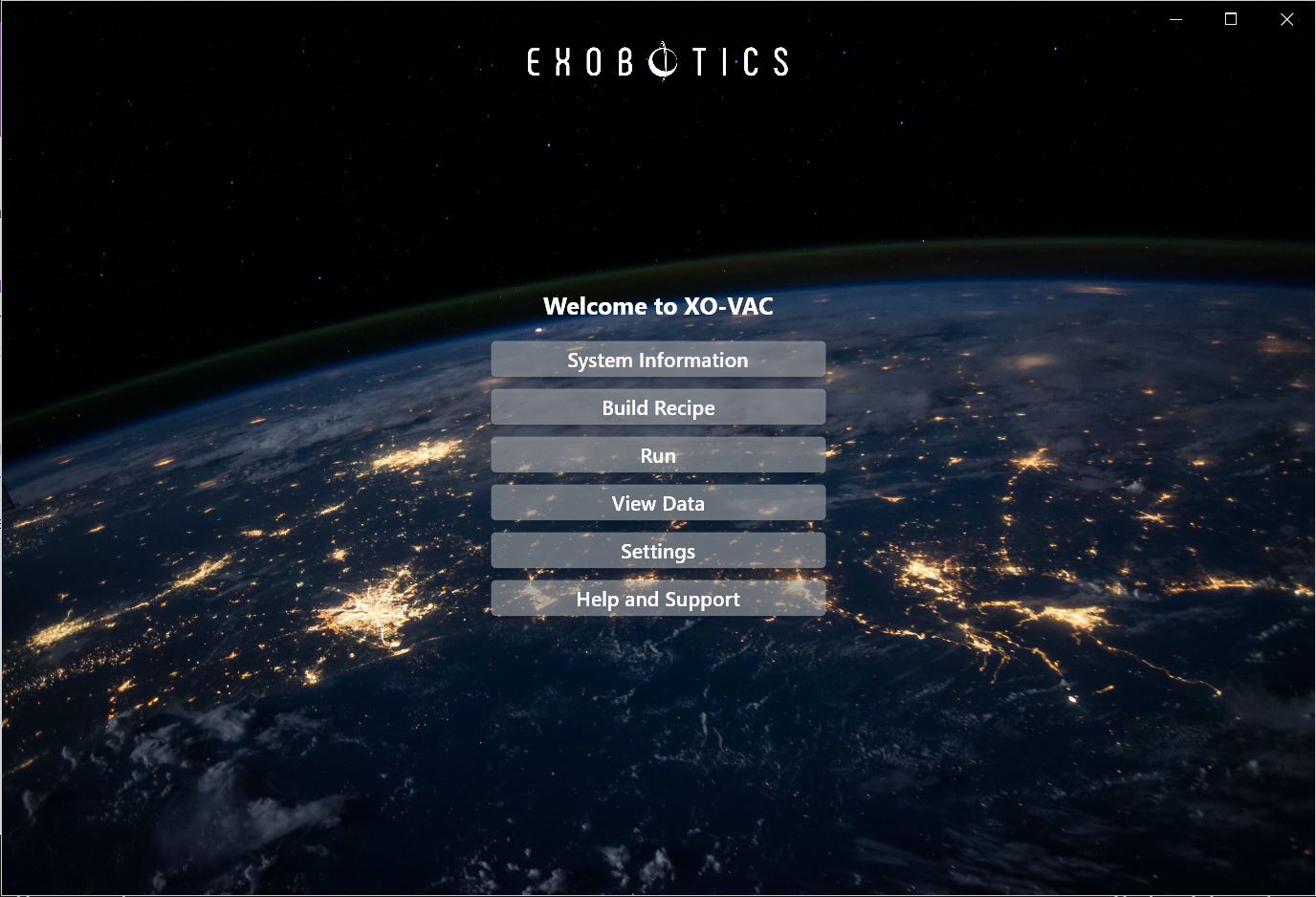
From the XO-VAC+ User Interface home page, click on Build Recipe in the panel in the centre.
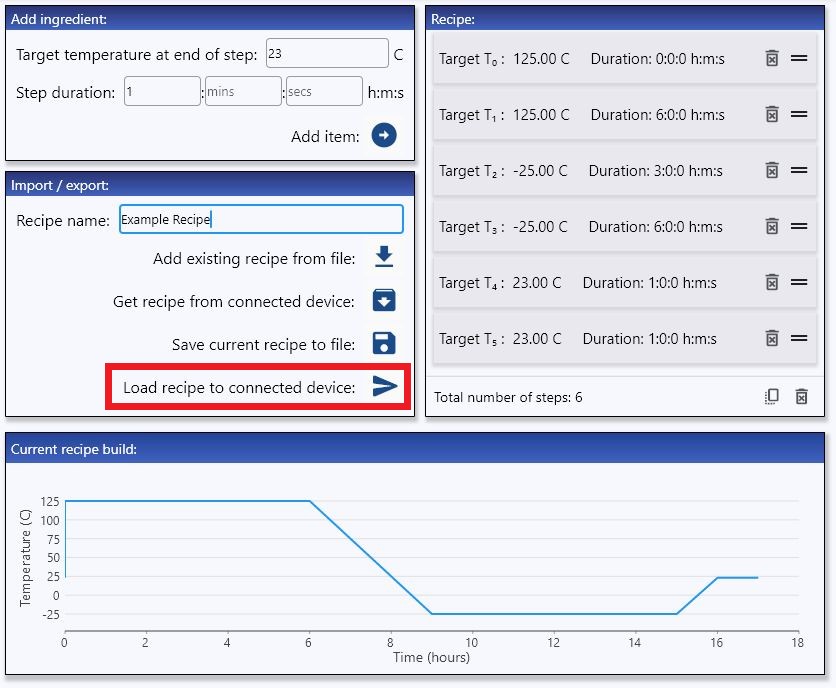
Once you have built a recipe, simply press Load recipe to connected device: as shown below: