How do I: Run a recipe?
-
To run a recipe, ensure you have first loaded a recipe to the XO-VAC+ device.
-
Load the Run Page.
-
Once you have loaded a recipe to the device, please click
Run recipe on connected device:, as shown below.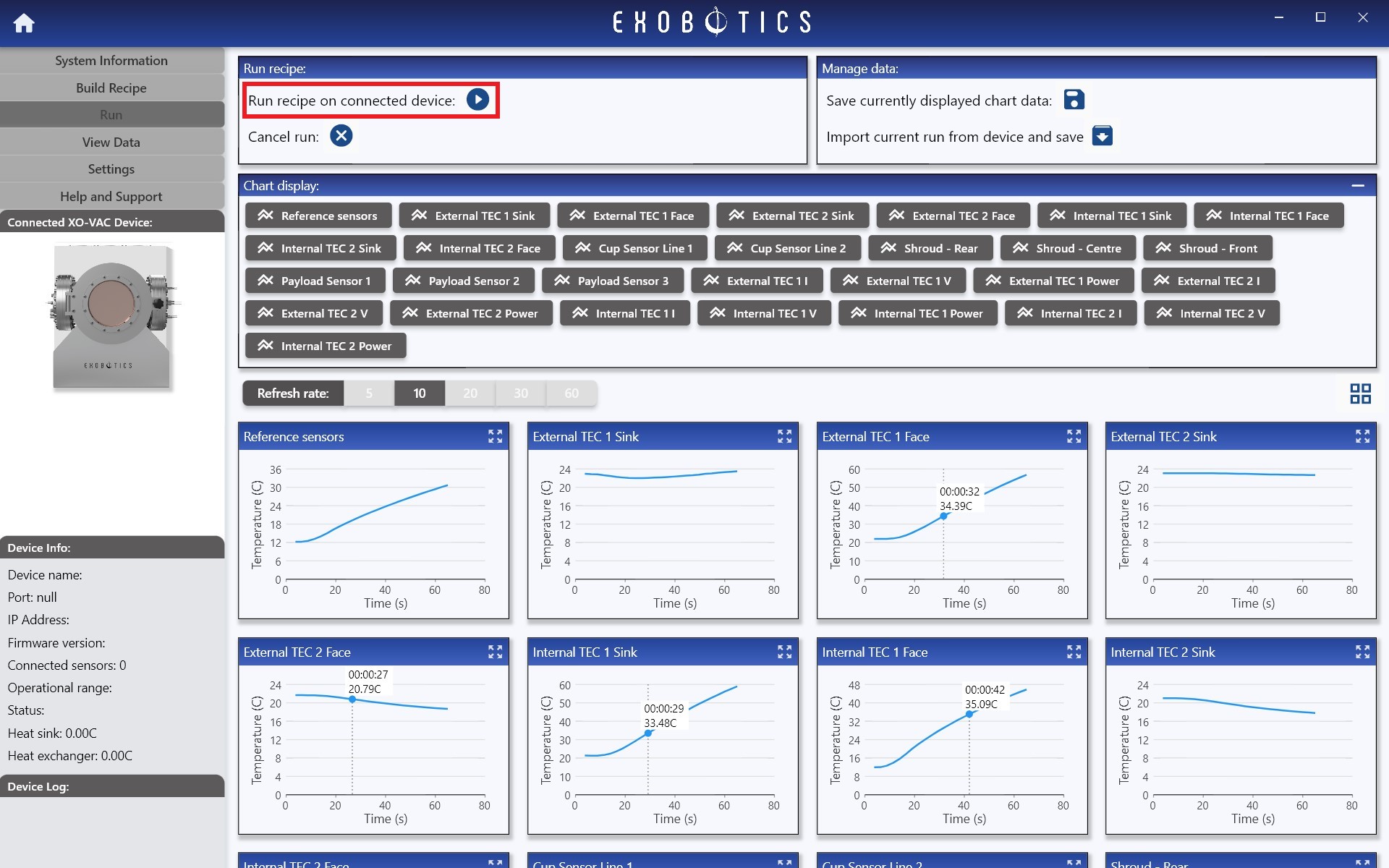
Run Recipe -
On clicking
Run recipe on connected device:, the user will be presented with a list of the temperature sensors which may be selected as reference sensors for the run, as shown below. The required reference sensors should be selected based on the test plan. See run parameters for more information on selecting reference sensors. Once the sensors are selected, clickRunto start the run.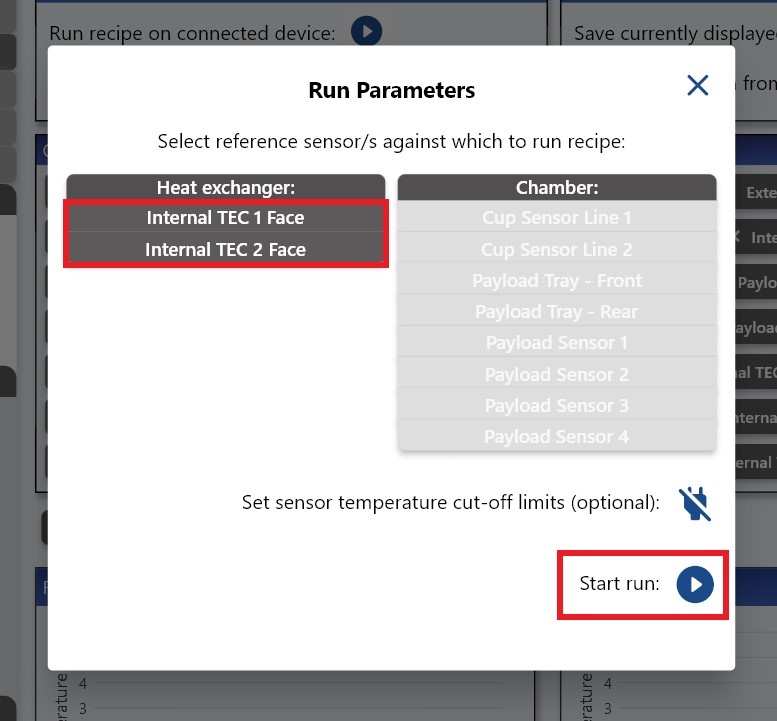
Reference Sensor Selection -
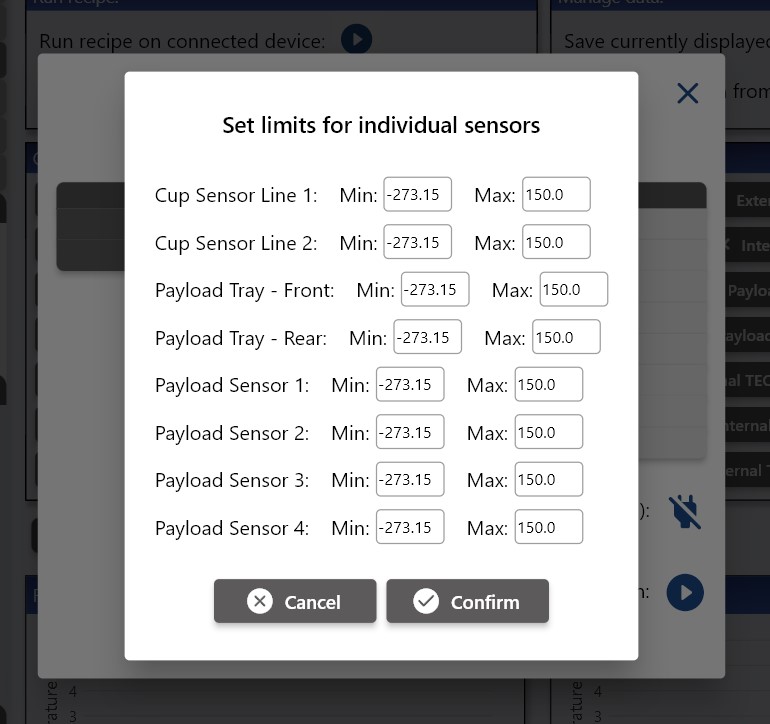
Optional: clicking on 'Set temperature sensor cut-off limits' prior to starting the run allows the user to set limits on the permissible max and min temperatures at each sensor, as shown below. For more information see here.
Set Sensor Limits