How do I: Reset XO-VAC+?
The XO-VAC+ has two main control systems: the Thermal Control and the Vacuum Control .
Resetting the Thermal Control box
To reset the Thermal Control box, simply power-cycle the device by switching it off using the key on the front of the device (see photo below), waiting for at least 15 seconds, then powering on again. This will clear any temporary settings and parameters, restart the internal firmware, and reset any errors on the internal systems (where possible). As the vacuum system is on a separate power supply, it does not need be power-cycled unless the fault is with the vacuum system itself.
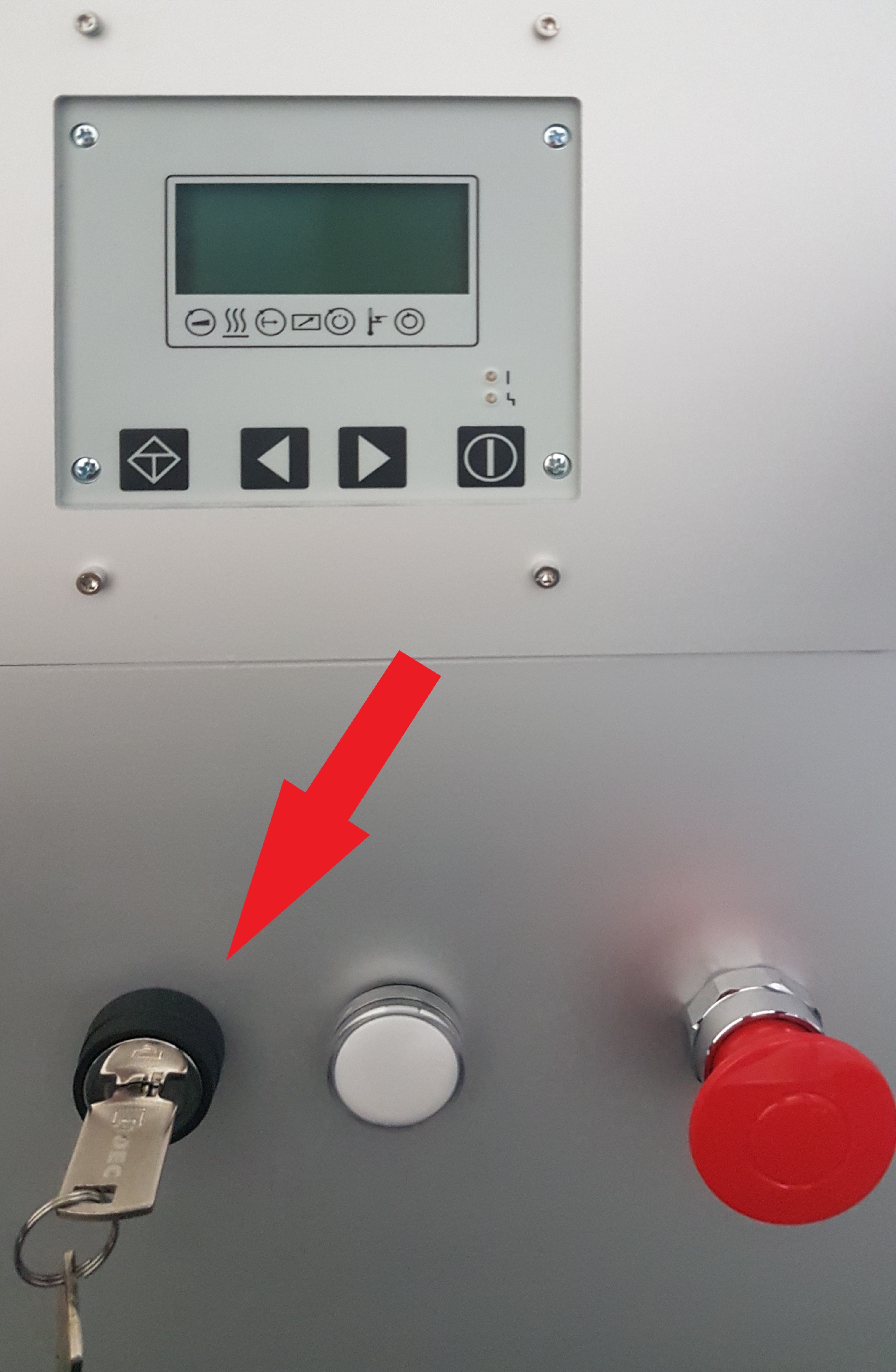
Resetting the Thermal Control box to factory defaults
To reset the Thermal Control box to factory defaults follow the instructions in the Update tutorial and use the image provided at the XO-VAC+ installation.
Resetting the Vacuum Control box
The Vacuum Control box cannot be reset to factory defaults in one-click. Settings have to changed one-by-one. To do this, consult the reference material here.
Note
The settings in the Vacuum Control Panel are kept after reboots and power losses. If you have doubts about the configuration of your Vacuum Control Panel, please contact us.