How do I: Disable the vacuum pump?
Tip
Hardware information about the vacuum pumps is available here.
Danger - Fire & Electric Shock Hazards
Do not operate the XO-VAC+ Thermal System without the chamber being under vacuum!
XO-VAC+ is a Thermal Vacuum Chamber capable of operating in a wide range of temperatures (from -25C to 125C). If the main chamber is not under vacuum and the Thermal System is used, XO-VAC+ can get damaged. During a hot run, the main risk is to oxidize the shroud and compromising the radiation performance of the chamber. Cold runs are much more hazardous has water can condensed inside the chamber and create short circuits.
Note
XO-VAC+ can, however, be safely used as a Vacuum Chamber without using the Thermal Control system or running a recipe.
XO-VAC+ status
If you have doubts about the status of XO-VAC+ check the How to enable the Vacuum Pump? tutorial.
Disabling the vacuum pumps and venting the main chamber
Danger
Only vent the chamber if it is at temperatures 5 degrees above the water dew point and below 40C. You can determinee the current chamber temperatures by connecting to XO-VAC+.
Once it was determined that XO-VAC+ Vacuum Chamber can be safely vented to room temperature, press the on/off button (cicle with a vertical bar) on the right side of the Vacuum Control Panel.
The tubovacuum pump will start reducing its speed. It takes about 5 - 10 min for the turbo pump to go from full speed (1200 - 1500 Hz) to a speed low enough to start venting. The turbopump controller starts venting automatically when the turbopump speed is low enough for a safe venting.
During this operation, the pressure of the chamber will progressively increase to room temperature. To display the pressure in the Vacuum Chamber use the Left or the Right arrows until the code 340 is visible.
Warning
Do not try to force open the main door of the vacuum chamber. If the thumbscrew is removed and it cannot be easily opened, it means that the vacuum chamber is not at room pressure yet.
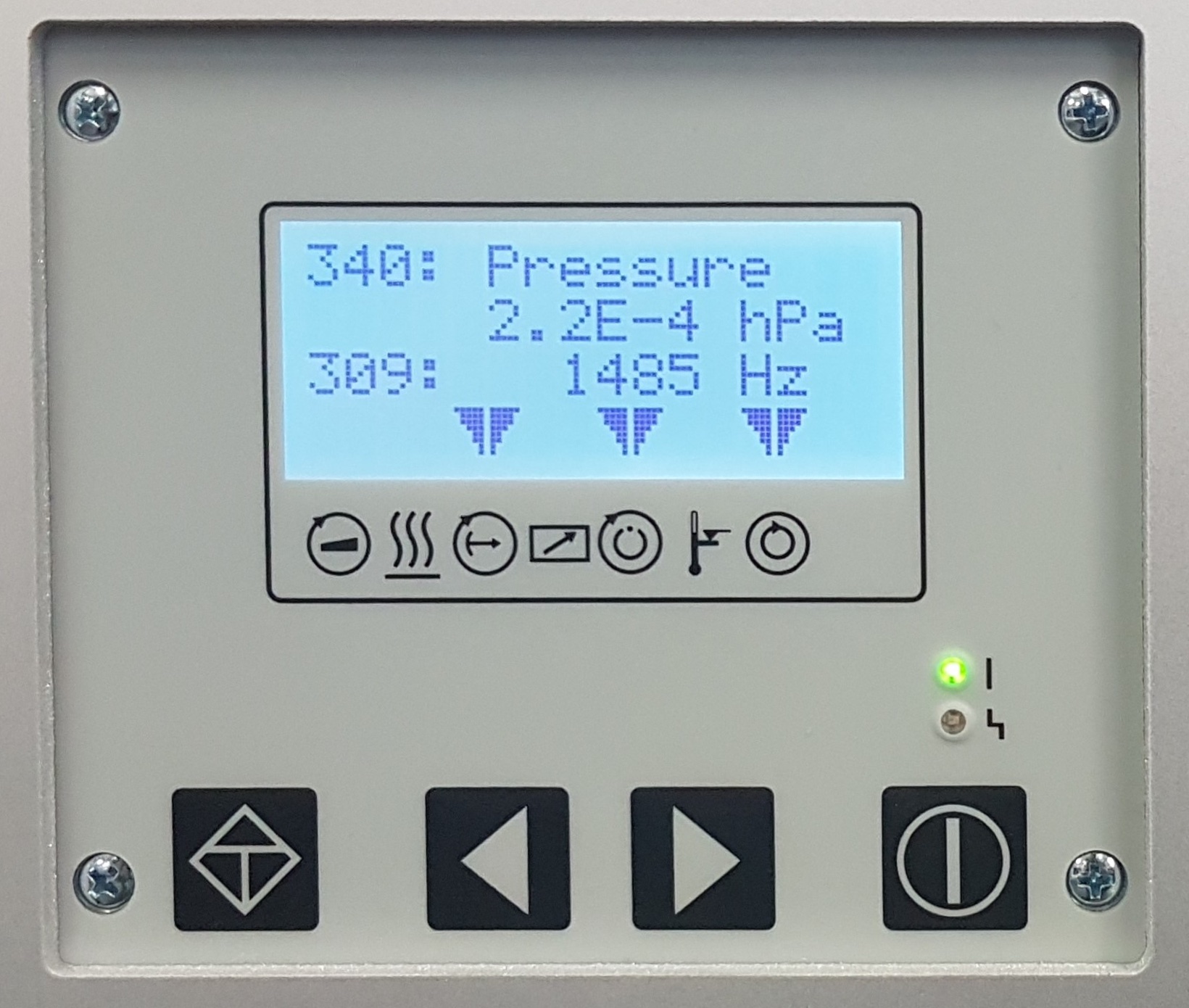
It takes about 10 - 15 min to vent a XO-VAC+ to room pressure.
Disabling the vacuum pumps without venting the main chamber
It is possible to power off the vacuum pumps without venting the main chamber.
By keeping the Vacuum Control box powered - Pressure readings available
It is the standard procedure for storing XO-VAC+ while not in use. Keeping the main chamber under vacuum when not in use to reduce possible contamination and maintain XO-VAC+ performance.
This can be also be useful in specific cases where the user wants to temporarily switch off the vacuum pumps to reduce the mechanical noise or EMI noise inside the vacuum chamber.
Note
If the vacuum pumps are off, the vacuum pressure inside the chamber will slowly start to increase due to leaks and outgassing (from chamber walls, shrouds or test samples)
The first step is to change the behaviour of the venting valve. In normal operations (see above), the venting valve will automatically start venting when the turbovacuum speed is low enough. In this section, it is required for the venting valve to stay closed while the vacuum pump is powered off so that the chamber is not vented.
To change the venting valve behaviour:
- use the
Leftor theRightarrows on the Vacuum Control Panel until the code30is visible - press on
Leftor theRightarrows simulatneously to be able to change the value associated to the code30 - use
Leftor theRightarrows to be able to change the value associated to the code30 - set the code
30value to1to set the venting valve inNo venting mode - press on
Leftor theRightarrows simulatneously to validate the value entered.
Info
For the code 30:
0=Delayed venting(factory default),1=No venting2=Direct venting
Note
Configuration changes on the Vacuum Control Panel are kept in memory between reboots and/or power disconnects.
Danger
Manually venting the chamber while the turbovacuum pump is running at full speed will permanently damage the turbovacuum pump. Be extra careful if you set venting valve (code 30) to the Direct venting mode (2).
By powering off the Vacuum Control box - No pressure readings available
If the power is removed from the Vacuum Control Box:
- the roughening pump will immediately stop
- the turbopump will slowly start to decrease its speed
- the venting valve will stay close or close if a venting operation was in progress
The easiest way to do that is to flip the switch on the power entry connector at the back of the Thermal Control rackmount box.
The main downside of cutting the power to the Vacuum Control box is that pressure readings are not available anymore on the Vacuum Control Panel.
Warning
Even if you have cut the power to the Vacuum Control box, the turbopump is still spinning (if it was on) for 10-15 min.
- Wait for the turbopump to be fully stopped before moving XO-VAC+ around.
- Shocks and bumps can damage the turbopump if its rotating.
- Do not unplug the mains power cable before the turbopump is fully stopped.